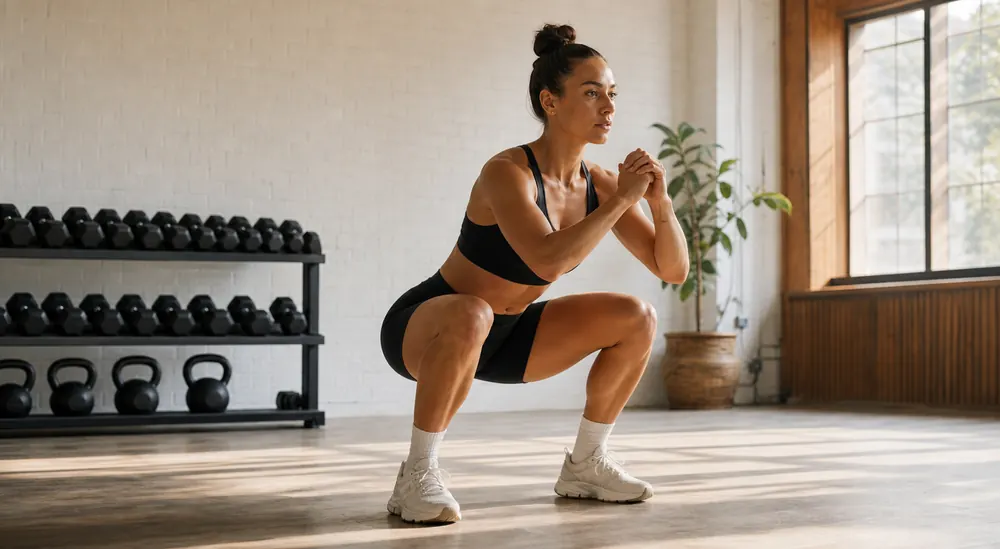
How do I check my squat depth from a phone video?
Film the set from the side or a three-quarter angle, with the camera roughly at hip height and far enough back that head, bar, hips, knees and feet stay inside the frame for every rep. Depth is judged from the relationship between the hip joint and the knee joint at the lowest point of the rep, so anything that hides either landmark — a rack upright, a training partner walking past, a phone tilted down at the floor — makes the answer unreliable rather than merely imprecise. Watch the bottom frame, not the whole rep: if the crease of the hip drops below the top of the knee, the rep is below parallel for most training standards. Repeat the recording from the same marked phone position each time, because a camera moved two metres closer changes the apparent angle far more than most technique changes do.
What ScoreRep reviews in a back squat
The back-squat rubric scores visible depth, torso position, knee alignment, left-right symmetry and the relationship between the lowering and rising phases. Depth and torso need a side or oblique view; knee alignment and symmetry need a front or back view.
A single angle cannot show every criterion equally well. ScoreRep uses only the criteria supported by the recorded view. The bar path is drawn on the review overlay but is not scored: identity and score come only from the athlete’s pose.
- Depth around the bottom position
- Torso inclination through the rep
- Knee alignment and left-right symmetry when visible
- Control between eccentric and concentric phases
Squat depth checker: how deep a back squat has to be
Depth is checked twice, and the two checks answer different questions. The first is identity: if the hip crease never passes below the knee at any point, the clip is not scored as a back squat at all. It is returned unranked with that reason, rather than marked down as a poor squat.
The second is the depth criterion, worth 25 of the 85 points. It reads the smallest knee angle in the rep from a side or 45° oblique view — the smaller the angle, the deeper the squat — and awards points by band. From a front or back view the criterion is excluded from the total, not guessed.
| Smallest knee angle in the rep | Points | Reading |
|---|---|---|
| 95° or less | 25 of 25 | clearly below parallel |
| 105° or less | 20 of 25 | at parallel |
| 120° or less | 12 of 25 | above parallel |
| anything else | 4 of 25 | partial squat |
Does this back squat rep count?
ScoreRep answers that in two separate steps. First, the clip has to read as a back squat at all: every check in the table below has to pass, and a reading the camera could not take counts as a fail, never as a pass. A clip that fails is returned unranked with the reason attached, rather than scored low against the wrong rubric, and no template can override a failed check.
Second, the scoring criteria award points. Falling short of a full-marks threshold costs points, not the rep. Every number here is read from version 1 of the back squat rubric, the same file the scoring engine runs.
- Compare the back squat standard with the other 29 movements on the movement standards page.
- How the rep counter decides between a valid rep and a no-rep, station by station.
| Reading | Has to be | Otherwise rejected because |
|---|---|---|
| Vertical travel of the hips across the rep | 0.08 or more | no squat was detected |
| Whether the hip crease passes below the knee | yes | the hip crease never passes below the knee |
| Whether the hands finish above the shoulders | no | the movement finishes overhead, so it is not a back squat |
Which squat faults show up most clearly on camera?
Most of what a video can honestly show falls into five patterns, and each has a first fix worth trying before anything more complicated. Treat these as prompts for a coaching conversation rather than verdicts: an unusual pattern can be a mobility limit, a load that is simply too heavy that day, or an athlete built with long femurs and a short torso.
- Depth that shrinks rep after rep — usually fatigue or load, not mobility. Drop the weight and hold the standard rather than chasing the number.
- Bar drifting forward of mid-foot — often a torso that pitches over early. Cue bracing before the descent and slow the first third of the rep.
- Knees travelling inward on the drive — visible from front or back. Widen the stance slightly, screw the feet into the floor and check whether it appears only under heavy load.
- One hip rising faster than the other — a symmetry flag worth filming from the front and discussing with a coach before adding load.
- A bounce out of the bottom that changes rhythm every rep — control the descent and keep the tempo consistent so the reps stay comparable.
How should I set up the camera for a squat?
Place the phone far enough away to keep the head, hips, knees, ankles and bar visible. A side or three-quarter view is the strongest starting point for depth, torso and bar path.
Avoid moving the phone during the set. Use even lighting and keep other people from crossing between the camera and athlete.
Why does my squat depth change when the bar gets heavy?
Depth under load is limited by whichever gives out first: ankle and hip range, the ability to hold a braced torso, or confidence in the position. Video separates these more usefully than memory does. If the first rep of a heavy set reaches the same depth as an empty-bar warm-up and the fifth does not, the constraint is fatigue and pacing, not mobility, and the answer is load management. If even the warm-up rep stops high with the heels lifting, the constraint is more likely range of movement, and the answer sits in ankle and hip work rather than in the set itself. If depth is fine solo but disappears in a workout, the constraint is often pacing under a clock. Filming the same lift across a training block makes the difference obvious, provided the camera position and the standard you judge against stay constant.
Interpret the result in context
Body proportions, stance, load and training intent affect how a squat looks. The score should support comparison and discussion, not impose one identical position on every athlete.
A technique score is educational feedback about visible movement. It cannot tell you whether a given load is safe for your joints, whether pain is meaningful, or whether a programme is appropriate — those judgements need a coach or clinician who knows your history.