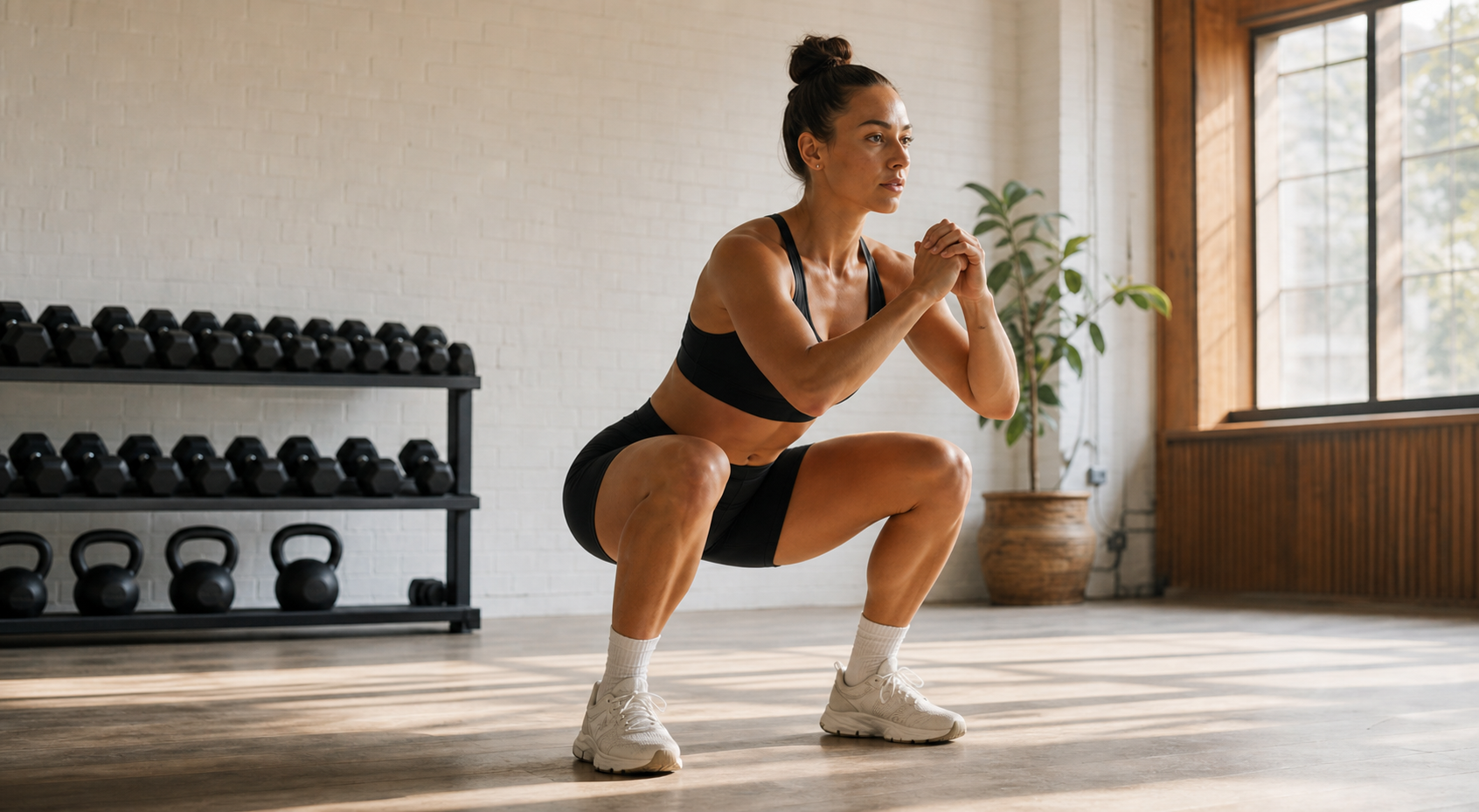
Keep the complete movement inside the frame
Include the athlete from head to feet and leave room for equipment travel. For overhead movements, preserve space above the hands. For burpees, include both the standing finish and full floor position.
Place the phone on a stable support. Do not ask another person to follow the athlete by hand unless the movement itself travels and the tracking setup is designed for it.
Use the angle that matches the question
Side and oblique views are generally useful for depth, torso angle, hip hinge and bar path. Front and back views can better expose visible left-right symmetry and knee alignment.
No single camera view provides perfect evidence for every criterion. ScoreRep rubrics declare which views support specific observations.
Best camera angle for each exercise
Each movement’s scoring rubric declares which camera angles it accepts and which criteria each angle can support. The table reads that declaration directly. A criterion the angle cannot see is removed from the total rather than scored as zero, so a weaker angle still gives a valid score — just out of fewer points.
Left and right sides are treated as the same decision here, as are the two 45° obliques. If one angle leaves points unavailable, a second recording from the angle that covers them completes the picture.
| Exercise | Best single angle | Points scorable from it | Accepted angles |
|---|---|---|---|
| Back Squat | side or 45° oblique | 55 of 85 | side, 45° oblique, front, back |
| Bar Muscle-up | any accepted angle | all 100 | front, back, side, 45° oblique |
| Box Jump | side or 45° oblique | all 100 | side, 45° oblique, front, back |
| Burpee | any accepted angle | all 100 | side, 45° oblique, front, back |
| Chest-to-Bar Pull-up | side or 45° oblique | all 100 | front, back, side, 45° oblique |
| Clean & Jerk | any accepted angle | 80 of 90 | side, 45° oblique |
| Deadlift | any accepted angle | 70 of 80 | side, 45° oblique |
| Dumbbell Snatch | side or 45° oblique | all 100 | side, 45° oblique, front, back |
| Front Squat | side or 45° oblique | 70 of 85 | side, 45° oblique, front, back |
| Handstand Push-up | any accepted angle | all 100 | side, 45° oblique, front, back |
| Hang Power Clean | any accepted angle | all 90 | side, 45° oblique |
| Hang Power Snatch | any accepted angle | all 100 | side, 45° oblique |
| Kettlebell Swing | any accepted angle | all 100 | side, 45° oblique |
| Overhead Squat | side or 45° oblique | 80 of 100 | side, 45° oblique, front, back |
| Pistol Squat | side or 45° oblique | all 100 | side, 45° oblique, front, back |
| Power Clean | any accepted angle | all 75 | side, 45° oblique |
| Power Snatch | any accepted angle | all 90 | side, 45° oblique |
| Pull-up | side or 45° oblique | all 80 | front, back, side, 45° oblique |
| Push Jerk | side or 45° oblique | 80 of 100 | side, 45° oblique, front, back |
| Push Press | side or 45° oblique | all 100 | side, 45° oblique, front, back |
| Push-up | any accepted angle | all 100 | side, 45° oblique |
| Ring Dip | any accepted angle | all 100 | front, back, side, 45° oblique |
| Ring Muscle-up | any accepted angle | all 100 | front, back, side, 45° oblique |
| Romanian Deadlift | any accepted angle | all 90 | side, 45° oblique |
| Squat Clean | any accepted angle | 80 of 90 | side, 45° oblique |
| Squat Snatch | any accepted angle | all 90 | side, 45° oblique |
| Strict Press | side or 45° oblique | all 100 | side, 45° oblique, front, back |
| Thruster | side or 45° oblique | 100 of 110 | side, 45° oblique, front |
| Toes-to-Bar | side or 45° oblique | all 100 | front, back, side, 45° oblique |
| Wall Ball | side or 45° oblique | 90 of 100 | side, 45° oblique, front, back |
Match the framing to the exercise
The movement decides how much space and which joints must remain visible. A squat needs the hips, knees and feet through the bottom position; a deadlift needs the full pull and lockout; a wall ball needs room above the target; and a burpee needs both the floor position and standing finish.
Use the exercise guide before recording because changing the camera after a set makes comparisons less reliable.
Reduce occlusion and contrast problems
Use even lighting and avoid placing the athlete directly in front of a bright window. Clothing should remain visually distinct from the background where possible.
Keep other athletes, racks and loose equipment from repeatedly crossing the body outline.
Make repeat recordings comparable
Mark the phone position or use the same tripod location for repeated tests. Similar framing is essential when using history to judge whether the movement changed.